A school management system earns its place when staff can complete ordinary tasks without maintaining several disconnected registers. ScholarFlow brings attendance, fee collection, parent communication and results into a web application. This walkthrough focuses on those everyday workflows and the questions a school should ask before adopting a system.
Start with the school overview
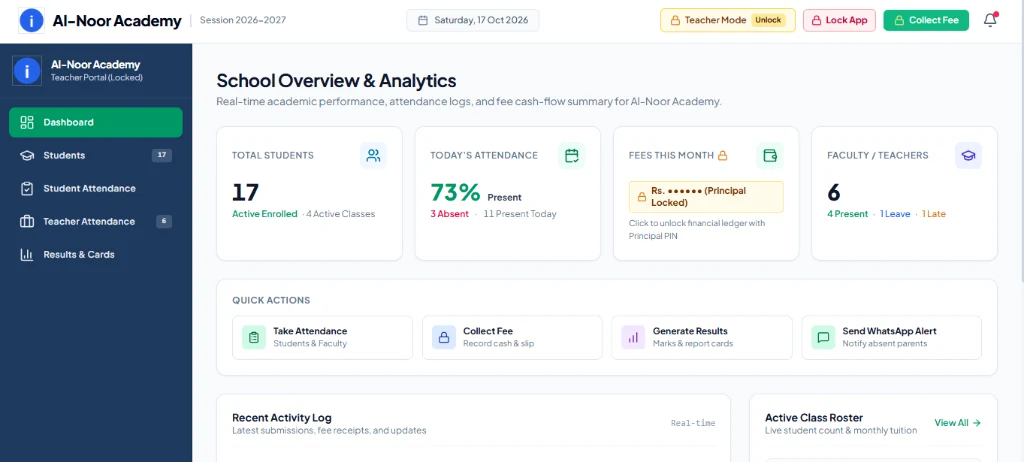
The overview screen brings attendance, fees and quick actions into one starting point. Its purpose is to help staff find the next task, rather than make them search through unrelated menus. The available record and the person’s responsibilities should guide what appears on a dashboard.
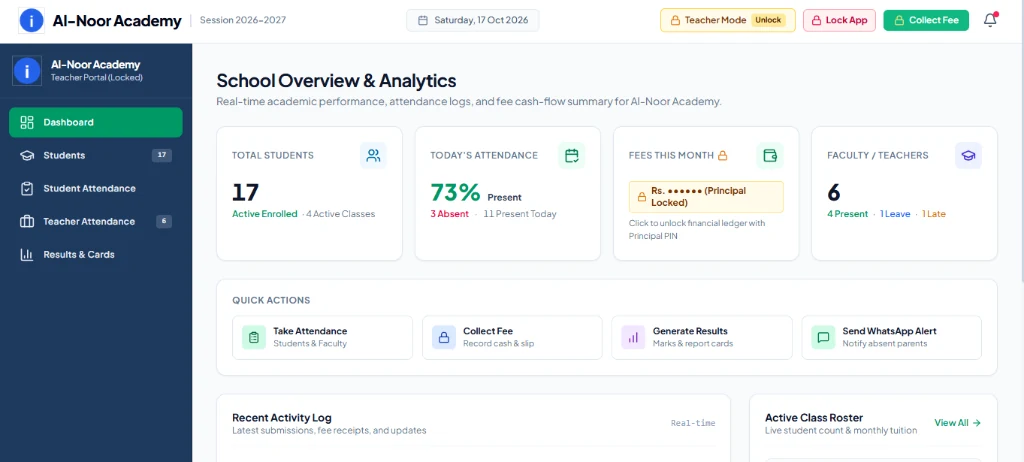
During an evaluation, choose a small sample class and follow a complete day: open the overview, find the class, record attendance, collect a sample fee and inspect the resulting record. A polished dashboard is useful only when the work behind it stays consistent.
Keep attendance easy to review
Attendance is repetitive work, so small interface decisions matter. A class list needs clear student identities, understandable present/absent states and a way to check what has already been entered. Touch-friendly controls help when staff use a phone or tablet.
- Use sample records to check a normal day, a correction and a student who changes class.
- Confirm the selected date before saving; accidental entries against yesterday’s register should be easy to spot.
- Check how a parent alert is prepared and whether staff can review the recipient and message before sharing it.
Connect fees, receipts and outstanding balances
Fee collection should connect a payment with the right student, period and amount. ScholarFlow’s portfolio includes a fee-management view and a multi-copy challan layout. Those are related tasks: the person preparing a payment document also needs a reliable record of what is due.
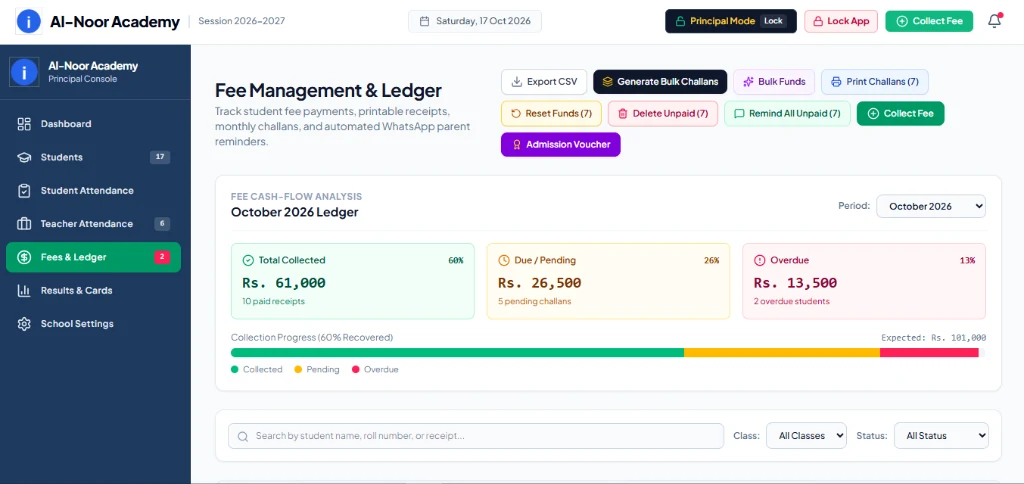
Try a partial payment, an adjustment and a corrected entry. Compare the screen with the document that gets printed. The useful question is whether the school can explain the balance afterwards, not simply whether a receipt button exists.
Make printed documents part of the workflow
Many school processes end on paper. A challan needs readable student details, clear amounts and consistent copies. A report card needs understandable subjects and totals, while its branding must remain legible on an ordinary printer.
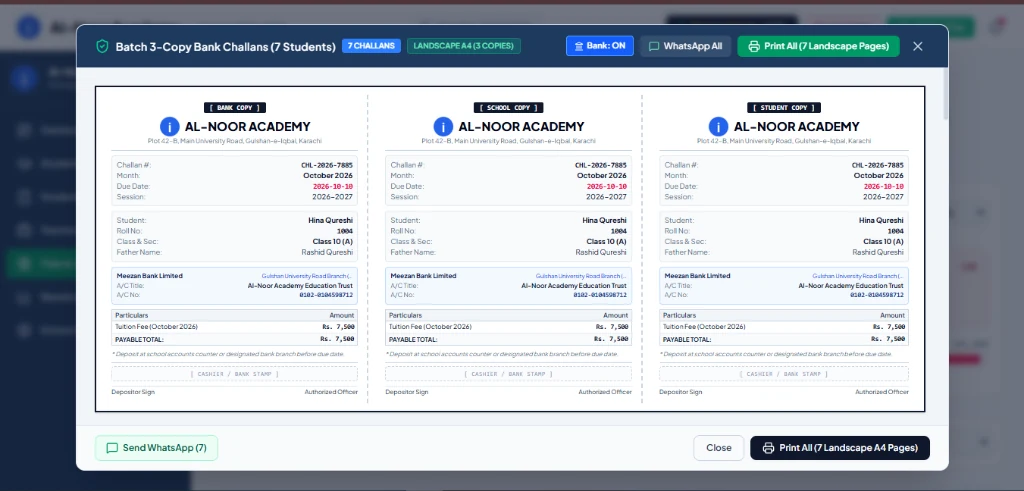
Print a sample before rollout. Check margins, long names, missing fields and a full class of results. A screen preview cannot establish that every printer, paper setting or grading policy will behave identically.
Evaluate access, backups and connectivity
Student and financial records need more than a tidy interface. Ask who can view, edit, export and delete each type of record. Test the actual restrictions using separate staff roles. Hiding a button alone does not establish that the underlying operation is protected.
Agree on where records are stored, how backups are created and how a restore is checked. Browser storage and a master PIN are not substitutes for a tested backup and an appropriate authorization design. Test the specific tasks you need with connectivity interrupted; no blanket offline-reliability claim replaces that check.
Explore the existing project
Use the ScholarFlow demo with sample information, then read the project overview for the existing screenshots. Confirm the current build’s feature set before making a rollout decision; this walkthrough does not certify a particular institution’s policies or compliance requirements.
For a smaller requirement focused on results, compare ResultApp. For the broader choice between a browser-based system and a phone app, see web app vs Android app.
Common questions
Does a school need every module at once?
Start with the workflow that creates the most repeated work. A small, well-tested attendance or fee process is a better starting point than enabling every screen before staff understand the records.
Can I assume every screen works offline?
No. Test each required read, edit, export and recovery task in the actual build. Connectivity behavior and backup behavior are separate requirements.